Cant connect due to "Beacon Failed to Connect"
My friend and I cannot connect we keep getting Beacon Failed to Connect. I am not sure as to what is causing this issue.
Comments: 9
Oldest
•
Newest
•
Most likes
•
Fewest likes
-
18 Aug, '24
Skull King MergedHighlighted comment
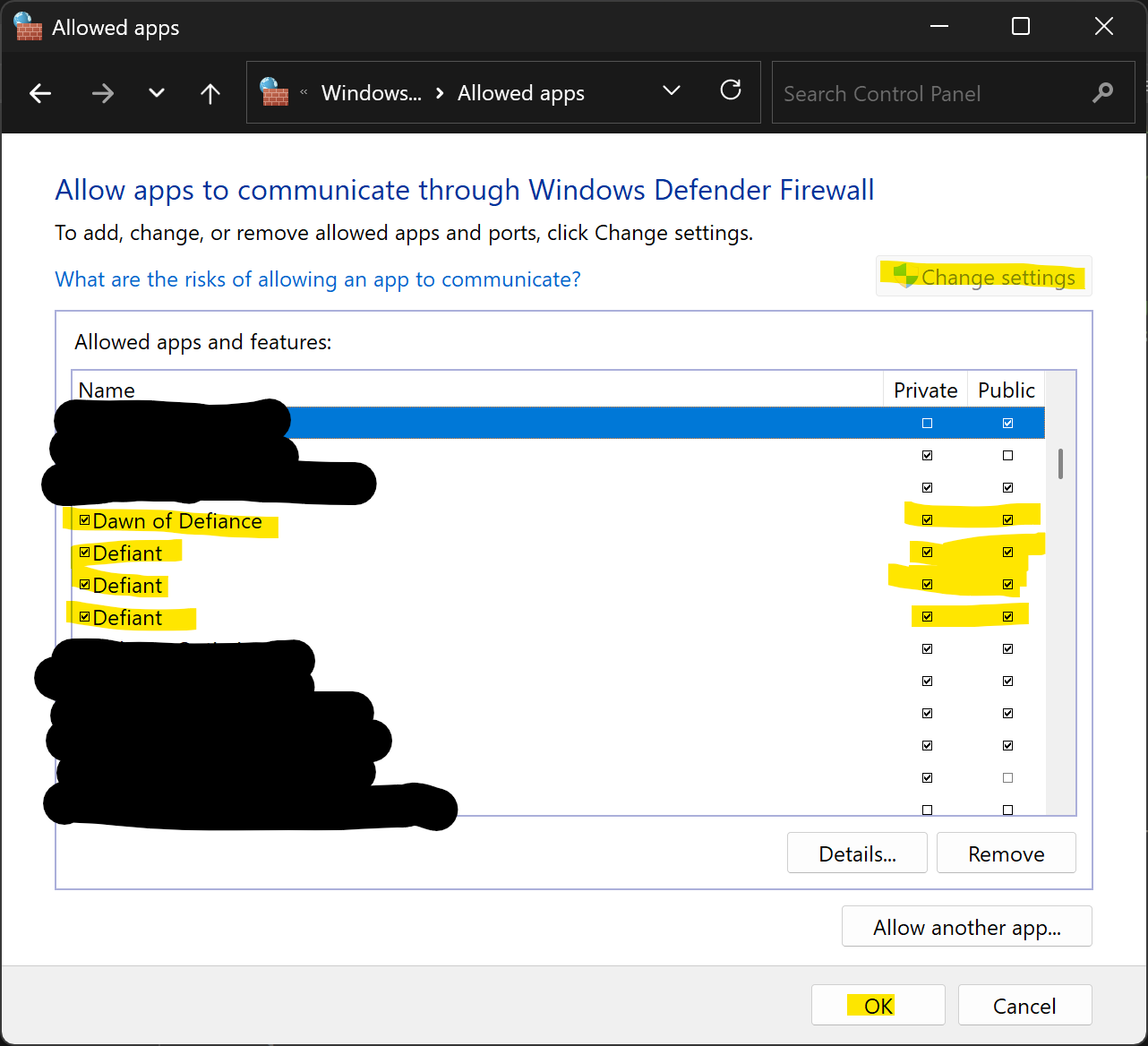
Whenever I try to join a server, a pop-up comes up saying "failed to connect to beacon." What's also weird is that the main menu to my game doesn't have the news tab that's off to the right of the screen. Whenever I enter the main menu, a loading icon appears where the news tab should be and then it disappears (this happens in a span of a second). I have tried everything I could to rectify these issues, but nothing seems to work. I do believe the two issues are connected somehow though. -
24 Sep, '24
Micah Anderson Admin PinnedCurrent solutions to this issue may be to:
- Check to ensure both players are on the same version
- Verify the integrity of game files in steam
- Sync the system clock to internet time
- Run the EpicOnlineServicesInstaller.exe file after you uninstall Epic Online Services from your PC. You can run that file from here:
Steam\steamapps\common\DefiantImmortals
- Update epic games store
- Blocking outgoing connections to epic games store
If that fails head to our discord troubleshooting channel and start a thread.
Attach the logs C:\Users\[USERNAME]\AppData\Local\DefiantImmortals\Saved\Logs\DefiantImmortals.log
https://discord.gg/EBd73vRn9W -
18 Aug, '24
Micah Anderson Admin MergedWould love to get to the bottom of this if you are willing to head over to our Discord and start a discussion on your issue.
https://discord.gg/EBd73vRn9W
The ad panel is indeed served via an online function which would indicate you are unable to connect to our backend. -
24 Sep, '24
BrandonLlyrThis started happening to my friend an me today (9/24/2024). We had been playing for several weeks without a problem
-
03 Jul, '25
GeorgeI had this same problem due to Windows Firewall.
Steps to fix:
1. Press Windows key and type "firewall"
2. Click "Windows Defender Firewall"
3. Click "Allow an app or feature through WDF" in top-left
4. Click "Change settings" button in top-right
5. Look for all "Defiant" and "Dawn of Defiance" entries
6. Check both "Private" and "Public" checkboxes for each entry
7. Click "OK" at the bottom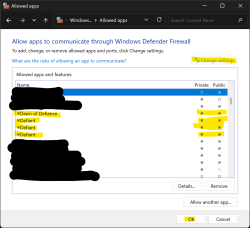
-
27 Jul, '25
VadimThe same problem appeared. The game was purchased from Epic Games. All the boxes are checked in the Windows Firewall. How to solve the problem?
-
28 Jul, '25
Kaneshiro AdminGreetings Vadim,
Sorry to hear you received the error. Are you still experiencing this issue? If so, if you could provide a bit more info. I've noticed that you've played prior to this, has it always been in Multiplayer? Are you attempting to connect as a Client to someone who also purchased the game through Epic?
You can reply here or hop on our Discord where you'll definitely get quicker answers.
https://discord.gg/dV6s7CHHZj -
30 Apr
Kaneshiro System"Cannot join servers and main menu is incomplete" (suggested by <Hidden> on 2024-08-18), including upvotes (3) and comments (2), was merged into this suggestion.